

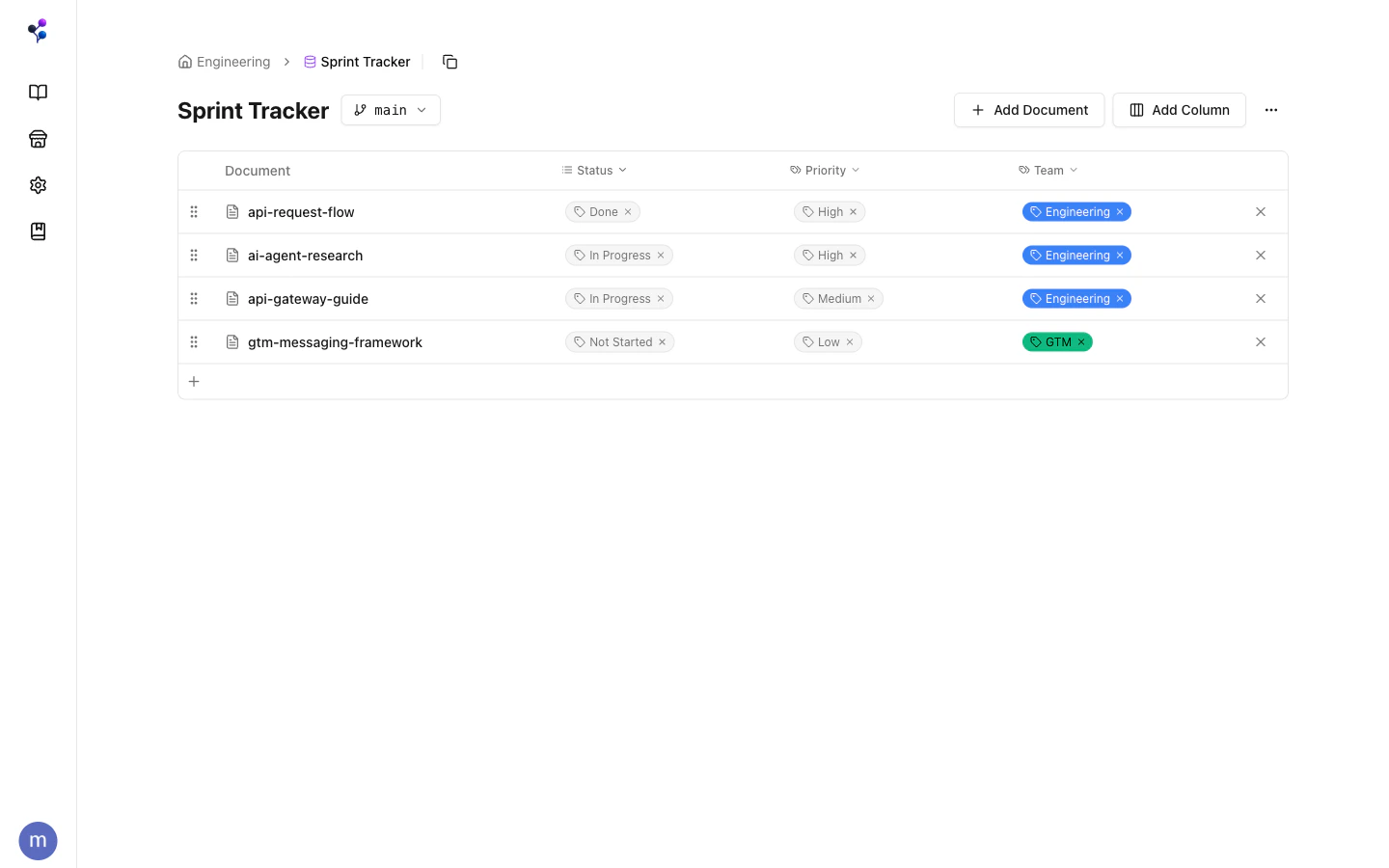
The Two Types of Columns
This is the key thing to understand about databases: column types fall into two fundamentally different categories.Tag-Backed Columns
select, multi_select, status, and checkbox columns store their values as tags. Each option in a select column is a tag in the global tag pool. Setting a property value on a document = assigning that tag to the document.
This means tag-backed column values show up in the Tags panel, can be filtered in
find, and are part of the same unified tag system. A “Status: Approved” column value is the same thing as the /sprint-tracker/status/approved tag.
Scalar Properties
number, date, text, url, email, and page_ref columns store values directly on the document — they’re not tags. They don’t appear in the tag hierarchy and can’t be used as tagIds filters.
Creating a Database
In the web app, click New Database from the Knowledge Base home. You can optionally give it a path (e.g.,/engineering/trackers) for folder organization.
Via MCP, use the databases tool with action: "create".
Adding Documents
Documents must be explicitly added to a database. A document can belong to multiple databases simultaneously — useful for showing the same doc in a “Bug Tracker” and a “Sprint Tracker” at the same time.Setting Properties
Useset_property to write a value to any column. For tag-backed columns, pass the option name as a string — Moxn auto-creates the option tag if it doesn’t exist yet:
null to clear any property.
When to Use a Database vs. Tags vs. Folders
A “Bug Tracker” database is a good fit: each bug is a document, the Status column tracks progress, Priority and Severity are selects. The same documents can also carry free-form tags like
/team/engineering for filtering across the broader KB.
Databases are not versioned — they’re stable schema definitions. The documents inside them are versioned, but the database structure itself (columns, membership) is not branch-scoped.
Accessing Databases
Databases can be accessed as standalone pages or embedded directly in a document section as a live view alongside your other content. ThedefaultBranchFilter setting makes a database automatically preview a specific branch on load — useful for reviewing “what the tracker looks like on the feature branch.”
See the databases MCP reference for the full action list.