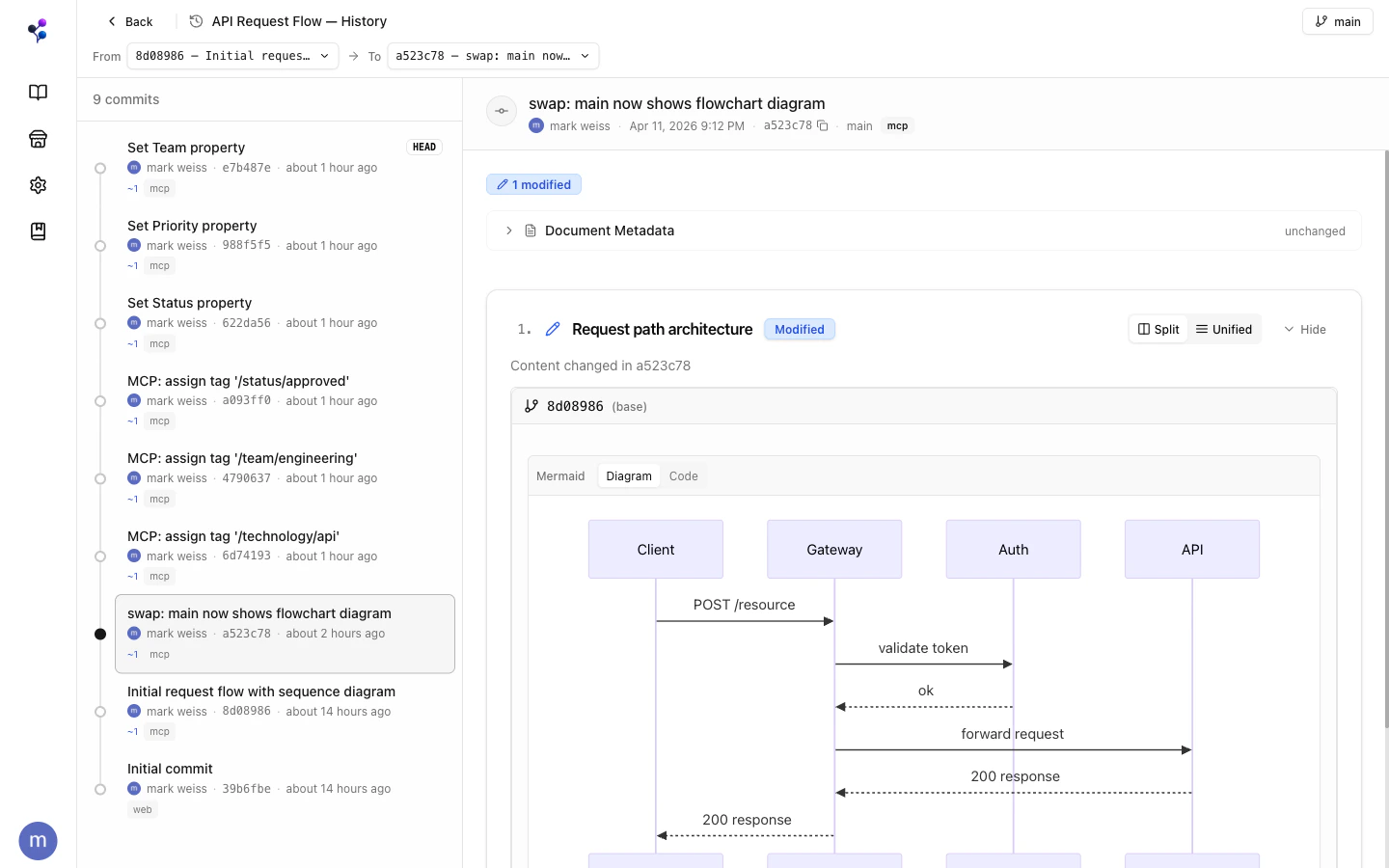
main for quick updates, or work on a branch when they want isolation or review.
Two orthogonal consistency systems work together: CRDTs handle sub-second real-time collaboration within a branch; Git semantics handle isolation and merging across branches.
Why Branching Matters for AI
Direct writes tomain are fine for quick updates. Branches unlock the patterns that matter once agents are in the loop:
- Parallel agents without deadlock — agents can fan out multiple drafts on parallel branches instead of clobbering each other with last-write-wins
- Reviewable diffs — open a branch or merge request and see exactly what changed, with rich content rendered
- Discardable experiments — abandon a branch instead of reverting a landed change
- Human-in-the-loop iteration — read the diffs in a merge request, or hop onto the branch and cherry-pick through committing and editing
Branches
Every document starts with amain branch. You can create feature branches for:
- Iterative AI-generated updates you want to review before merging
- Collaborative edits between teammates
- Experiments you might want to discard
/engineering/api-guide on a branch without affecting /engineering/deployment-guide.
Commits
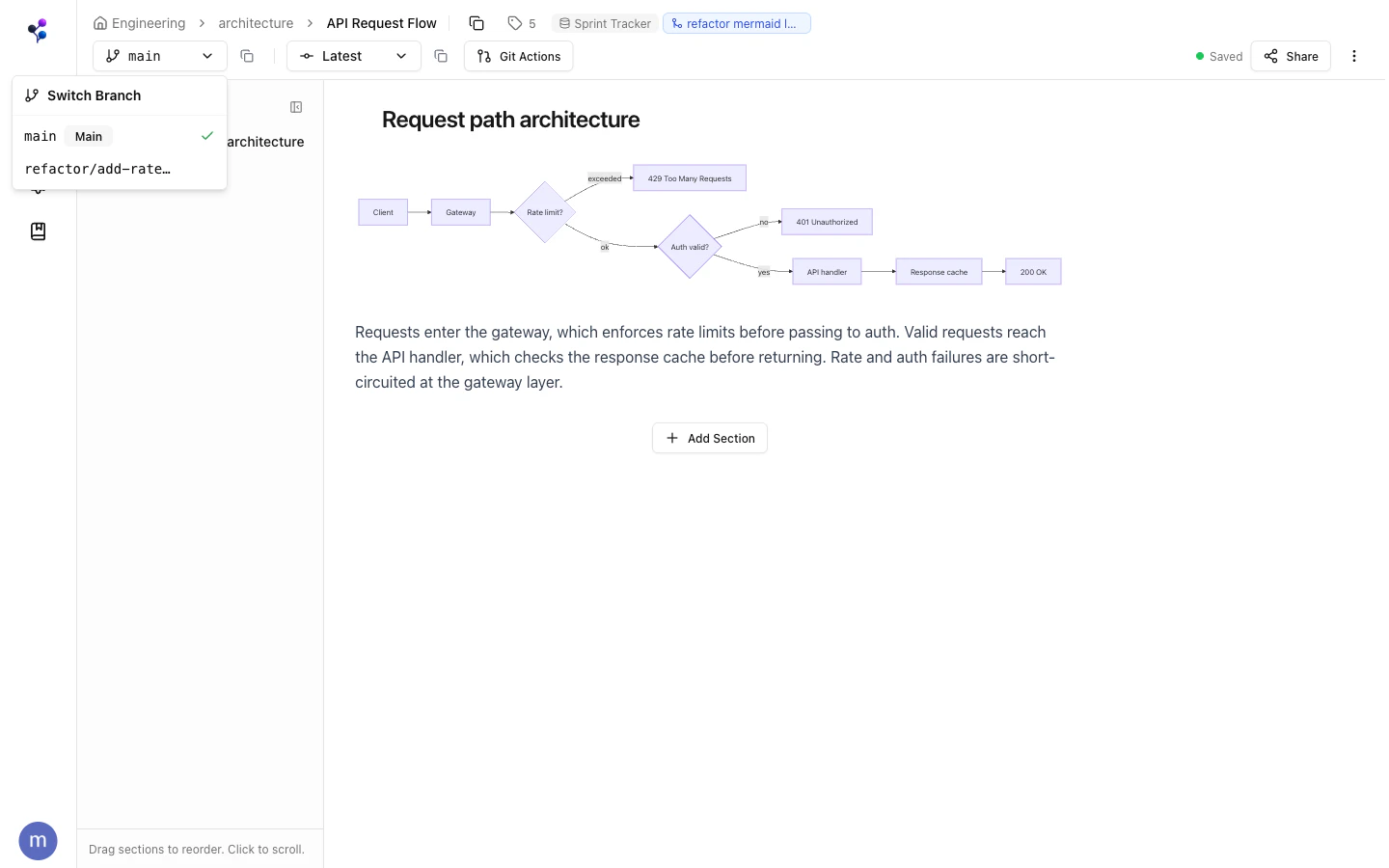
A commit creates an immutable snapshot of a document’s sections at a point in time:- Working changes accumulate in a draft state until you commit
- Each commit has a message
- You can view content at any historical commit
- Reverting creates a new commit with a previous commit’s content (non-destructive)
sections write auto-commits. Use documents with action: "log" to see history and action: "revert" to roll back.
The AI Write Workflow
Merge Requests
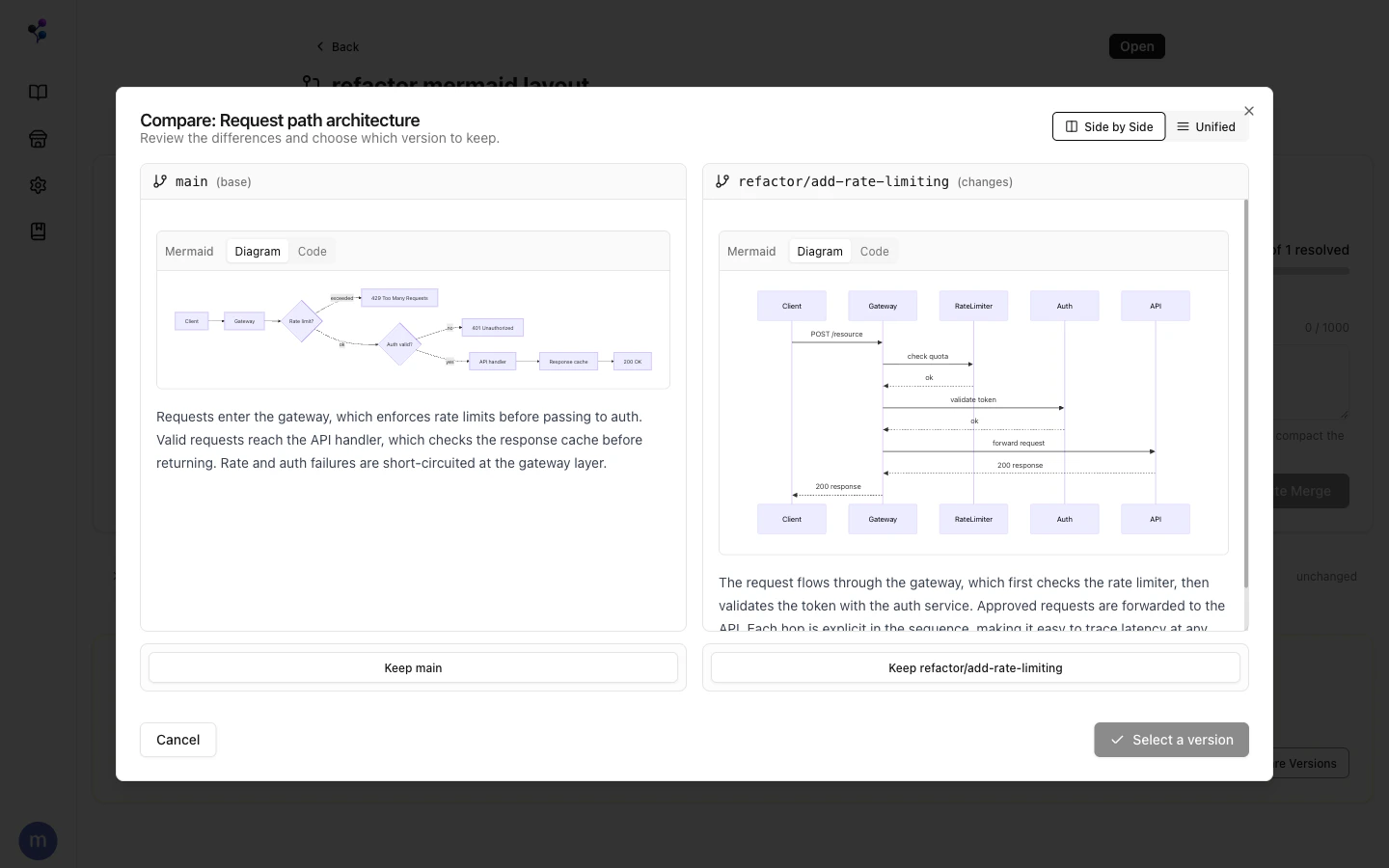
A merge request (MR) brings changes from a source branch into a target branch (usuallymain) for a single document.
Create via web app:
- Open a document on a feature branch
- Click Git Actions > Create Merge Request
- Confirm source and target branches, add a title
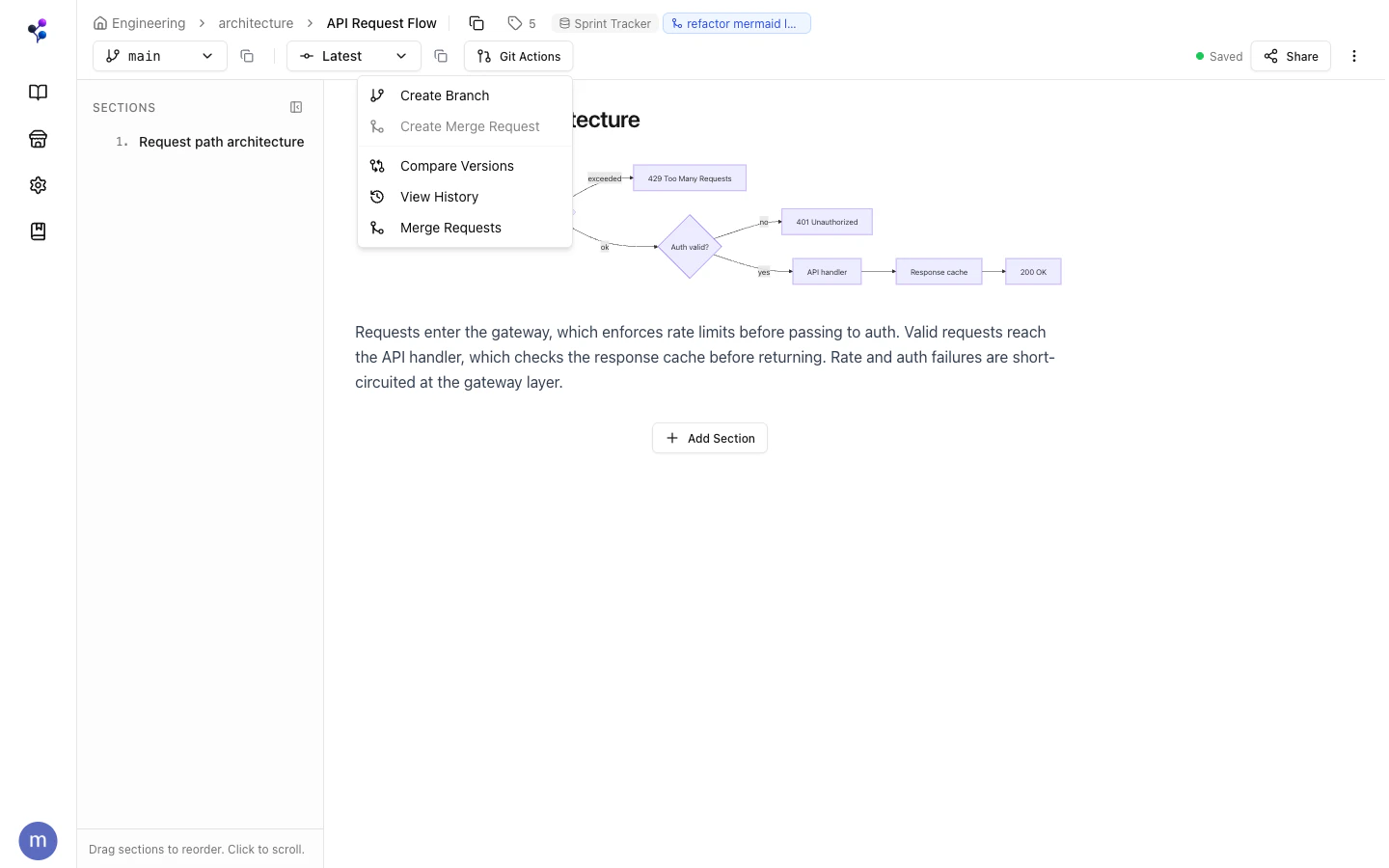
merge_requests tool with action: "create".
Analyzing Conflicts
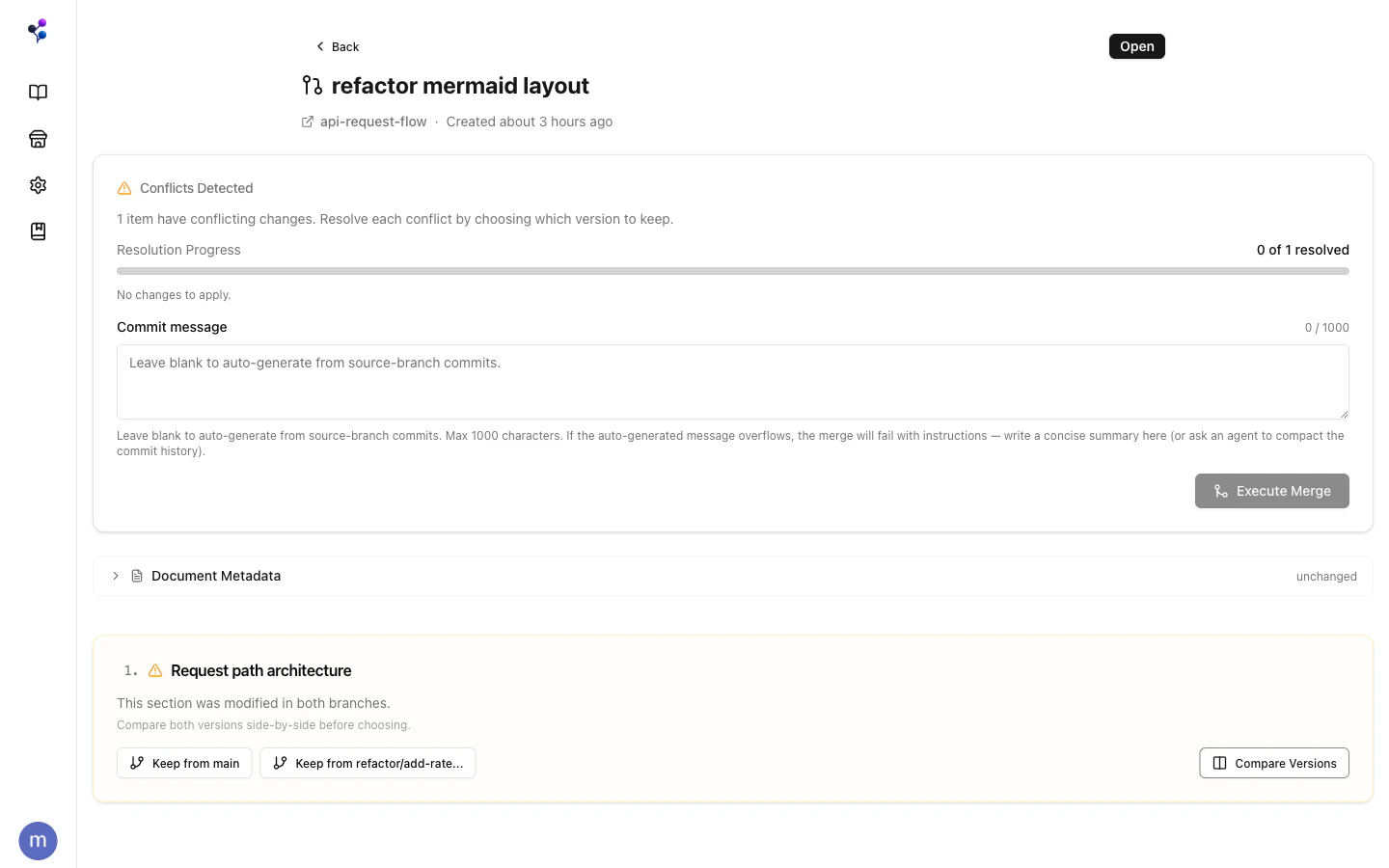
When source and target have diverged,analyze returns:
- Section diffs — added, modified, deleted sections
- Conflicts — sections changed on both branches since they diverged
- Tag changes — assignments that differ between branches
- Path collisions — if the document path changed on one branch
Resolving Conflicts
Conflicts are resolved at two grains:- Content conflicts are resolved at the section grain — for each section changed on both branches, choose
"source"(incoming) or"target"(current). Passresolutionswhen callingexecute. - Metadata like tags and properties is resolved at the document grain.
Changesets
A changeset is a collection of merge requests that are coordinated together. It’s a convenience wrapper for managing simultaneous changes across multiple documents that share the same branch name — instead of tracking each MR individually, you work through one changeset. When you create a changeset, Moxn discovers all documents that have commits on the named branch and creates individual MRs for each. Each MR can be analyzed and merged on its own schedule; the changeset just keeps them organized. This is the mechanism behind the Auto-Docs workflow for PR documentation — one changeset per PR branch, one MR per affected doc. See thechangesets tool for the MCP surface.
Discard
discard resets a branch’s working state back to the last commit without creating a new commit. Use it to throw away draft edits that haven’t been committed yet.
To completely abandon a feature branch (including its commits), delete the branch with documents > action: "delete_branch".
Viewing History
In the web app, use the Git Actions menu to view commit history. Via MCP:documentswithaction: "log"— list commits on a branchdocumentswithaction: "show"— inspect the content at a specific commitdocumentswithaction: "revert"— create a new commit that restores a previous state