> ## Documentation Index
> Fetch the complete documentation index at: https://moxn.mintlify.site/llms.txt
> Use this file to discover all available pages before exploring further.
# Moxn
> Knowledge base for human & agent collaboration — connect via MCP or CLI
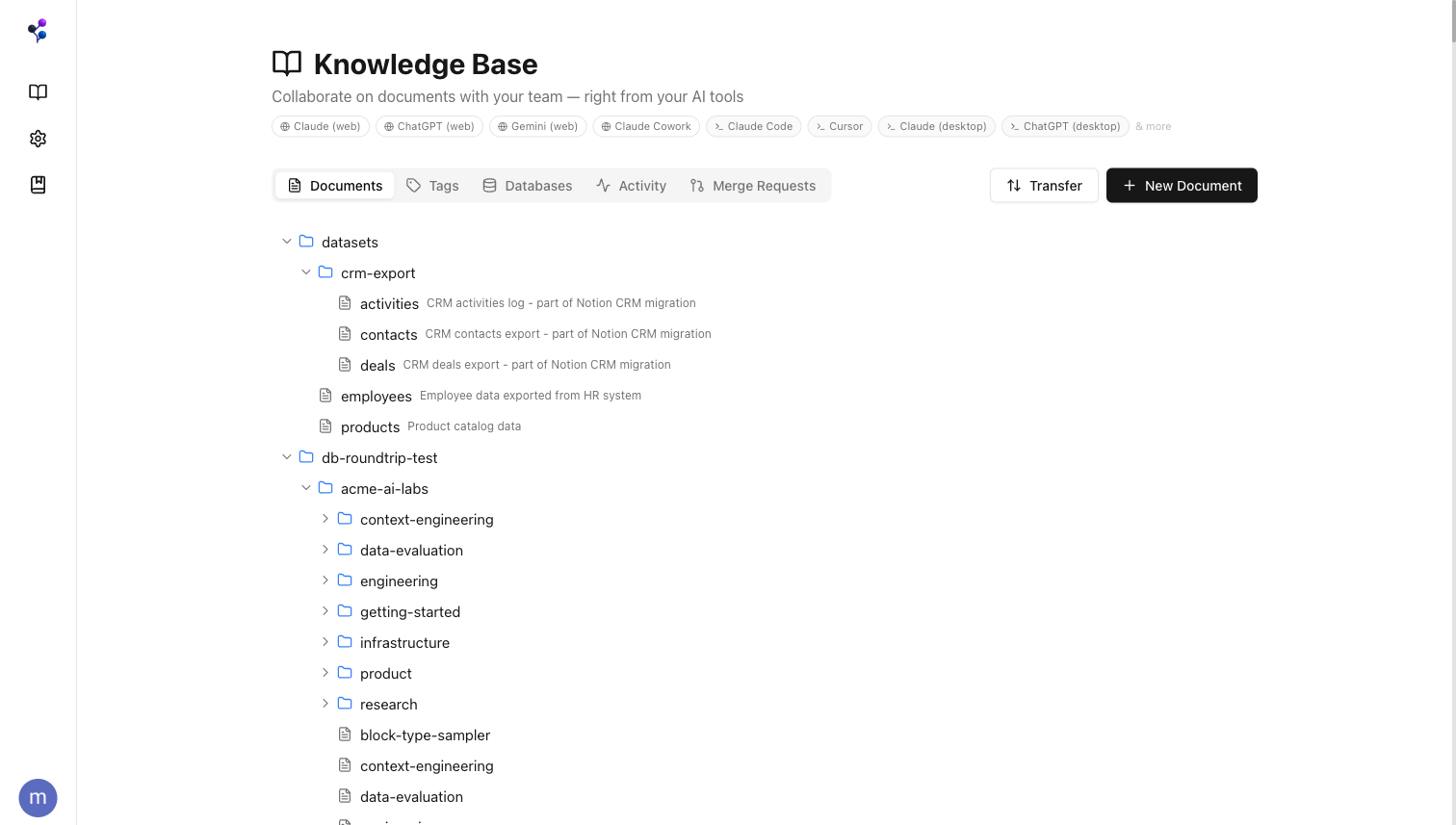
Moxn is a knowledge base for human & agent collaboration. Agents connect via MCP or CLI to search, read, and write your docs. Your team edits in a modern web editor. Branching and version control keep everyone in sync — so parallel agents don't clobber each other, and every change is reviewable.
 ***
## The Problem
Four pain points keep showing up when working with agents on documents:
* **Parallel agents, no coordination.** Two agents edit the same doc; the second clobbers the first. No diff, no history, no merge path. Last-write-wins.
* **Markdown in git works for agents, less so for humans.** Agents can navigate a repo, but collaborators lose real-time cursors, rich editing, and comments.
* **MCP bolted onto Notion or Google Docs.** Agents call APIs that weren't designed for them. Writes burn tokens on format translation; search is flat.
* **Permissions.** You want to guard specific content from agent updates or reads without locking it away from humans.
Moxn's approach: a **filesystem** primitive that both humans and agents share, **Git-like branching** so parallel work doesn't deadlock, and **section-grain permissions** that apply independently to humans and agents.
***
## Choose Your Setup
Pick the connection method that fits your workflow:
| | CLI | MCP |
| ---------------- | --------------------------------------------------- | ---------------------------------------- |
| **Auth** | API key (`MOXN_API_KEY`) | Browser-based OAuth |
| **Setup** | `npm install` + `install-skill` | Config snippet in MCP settings |
| **Best for** | Claude Code, Codex, Cursor, and other coding agents | Claude.ai, ChatGPT, Gemini, desktop apps |
| **How it works** | Agent calls `context` commands directly | Agent uses MCP tools |
API key auth, no MCP needed — ideal for coding agents
Connect any MCP host — Claude, ChatGPT, Cursor, Gemini, and more
***
## Built for Agents
Agents connect to Moxn and get structured access to your content through 13 MCP tools. See the [full MCP reference](/reference/mcp/index).
| Category | Tools |
| ------------------ | ---------------------------------- |
| Discovery | `find`, `search`, `read` |
| Content management | `documents`, `sections` |
| Organization | `filesystems`, `tags`, `databases` |
| Collaboration | `merge_requests`, `changesets` |
| Members & files | `members`, `upload_url` |
Agents query your docs for context, grounding responses in your team's actual knowledge instead of stale training data.
When you ask an agent to create or update content, it works on a branch. You review the diff and merge when ready.
Filesystem roles and section-level AI access controls let you hide sensitive content from agents while keeping it visible to your team.
Claude.ai, ChatGPT, Gemini, Claude Code, Cursor, Claude Desktop, and any other MCP-compatible client.
***
## A Real Editor for Your Team
Moxn isn't just an API for agents — it's a full-featured editor for your team. Rich text, code blocks with syntax highlighting, mermaid diagrams, inline comments, and drag-and-drop section reordering.
***
## The Problem
Four pain points keep showing up when working with agents on documents:
* **Parallel agents, no coordination.** Two agents edit the same doc; the second clobbers the first. No diff, no history, no merge path. Last-write-wins.
* **Markdown in git works for agents, less so for humans.** Agents can navigate a repo, but collaborators lose real-time cursors, rich editing, and comments.
* **MCP bolted onto Notion or Google Docs.** Agents call APIs that weren't designed for them. Writes burn tokens on format translation; search is flat.
* **Permissions.** You want to guard specific content from agent updates or reads without locking it away from humans.
Moxn's approach: a **filesystem** primitive that both humans and agents share, **Git-like branching** so parallel work doesn't deadlock, and **section-grain permissions** that apply independently to humans and agents.
***
## Choose Your Setup
Pick the connection method that fits your workflow:
| | CLI | MCP |
| ---------------- | --------------------------------------------------- | ---------------------------------------- |
| **Auth** | API key (`MOXN_API_KEY`) | Browser-based OAuth |
| **Setup** | `npm install` + `install-skill` | Config snippet in MCP settings |
| **Best for** | Claude Code, Codex, Cursor, and other coding agents | Claude.ai, ChatGPT, Gemini, desktop apps |
| **How it works** | Agent calls `context` commands directly | Agent uses MCP tools |
API key auth, no MCP needed — ideal for coding agents
Connect any MCP host — Claude, ChatGPT, Cursor, Gemini, and more
***
## Built for Agents
Agents connect to Moxn and get structured access to your content through 13 MCP tools. See the [full MCP reference](/reference/mcp/index).
| Category | Tools |
| ------------------ | ---------------------------------- |
| Discovery | `find`, `search`, `read` |
| Content management | `documents`, `sections` |
| Organization | `filesystems`, `tags`, `databases` |
| Collaboration | `merge_requests`, `changesets` |
| Members & files | `members`, `upload_url` |
Agents query your docs for context, grounding responses in your team's actual knowledge instead of stale training data.
When you ask an agent to create or update content, it works on a branch. You review the diff and merge when ready.
Filesystem roles and section-level AI access controls let you hide sensitive content from agents while keeping it visible to your team.
Claude.ai, ChatGPT, Gemini, Claude Code, Cursor, Claude Desktop, and any other MCP-compatible client.
***
## A Real Editor for Your Team
Moxn isn't just an API for agents — it's a full-featured editor for your team. Rich text, code blocks with syntax highlighting, mermaid diagrams, inline comments, and drag-and-drop section reordering.
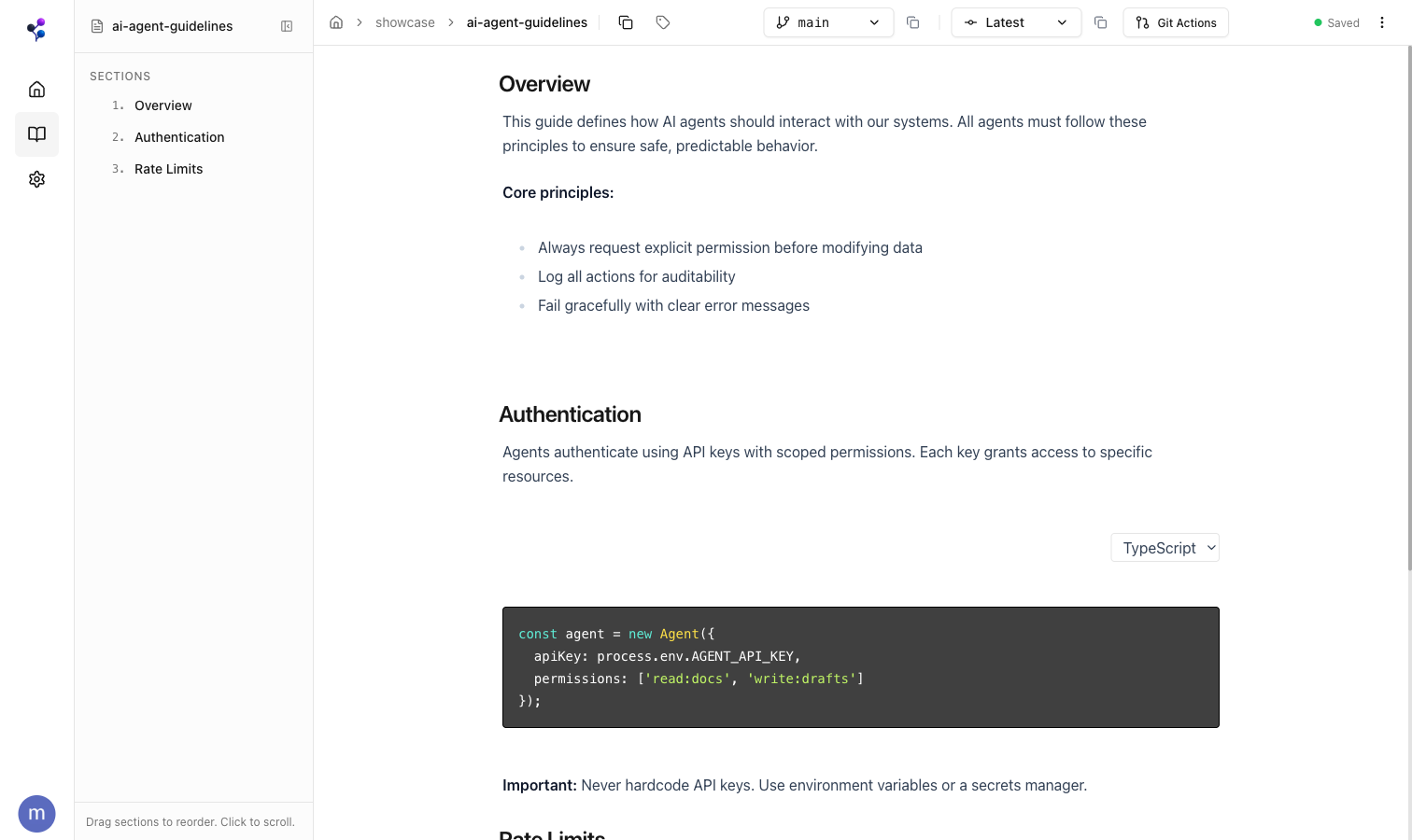 Your team writes and edits documentation in the web app. Agents read and write the same content over MCP. Everyone works from a single source of truth.
***
## Import & Export
Import from Notion or local files with full fidelity. Work in Moxn with your team and AI agents. Export your changes back when you need to — no lock-in.
For Notion, pick the **in-app integration** (Settings > Integrations — Moxn runs the job for you) or the **CLI** (run yourself, scriptable, CI-friendly). Local files use the CLI. See [Which Path Should I Use?](/migration/index#which-path-should-i-use) for the full breakdown.
Connect once in Settings > Integrations — no command line needed
Same import, run from your terminal or CI
Markdown, text, and CSV from your filesystem
Download as markdown with images, PDFs, and CSVs
Your team writes and edits documentation in the web app. Agents read and write the same content over MCP. Everyone works from a single source of truth.
***
## Import & Export
Import from Notion or local files with full fidelity. Work in Moxn with your team and AI agents. Export your changes back when you need to — no lock-in.
For Notion, pick the **in-app integration** (Settings > Integrations — Moxn runs the job for you) or the **CLI** (run yourself, scriptable, CI-friendly). Local files use the CLI. See [Which Path Should I Use?](/migration/index#which-path-should-i-use) for the full breakdown.
Connect once in Settings > Integrations — no command line needed
Same import, run from your terminal or CI
Markdown, text, and CSV from your filesystem
Download as markdown with images, PDFs, and CSVs