> ## Documentation Index
> Fetch the complete documentation index at: https://moxn.mintlify.site/llms.txt
> Use this file to discover all available pages before exploring further.
# Branching & Merging
> Git-like version control for documentation — branches, commits, merge requests, and changesets
Moxn applies Git semantics to documentation. Every document has its own branch history, with Git-like branching and common-ancestor-aware merges. Humans and agents can write directly to `main` for quick updates, or work on a branch when they want isolation or review.
Two orthogonal consistency systems work together: **CRDTs** handle sub-second real-time collaboration within a branch; **Git semantics** handle isolation and merging across branches.
## Why Branching Matters for AI
Direct writes to `main` are fine for quick updates. Branches unlock the patterns that matter once agents are in the loop:
* **Parallel agents without deadlock** — agents can fan out multiple drafts on parallel branches instead of clobbering each other with last-write-wins
* **Reviewable diffs** — open a branch or merge request and see exactly what changed, with rich content rendered
* **Discardable experiments** — abandon a branch instead of reverting a landed change
* **Human-in-the-loop iteration** — read the diffs in a merge request, or hop onto the branch and cherry-pick through committing and editing
## Branches
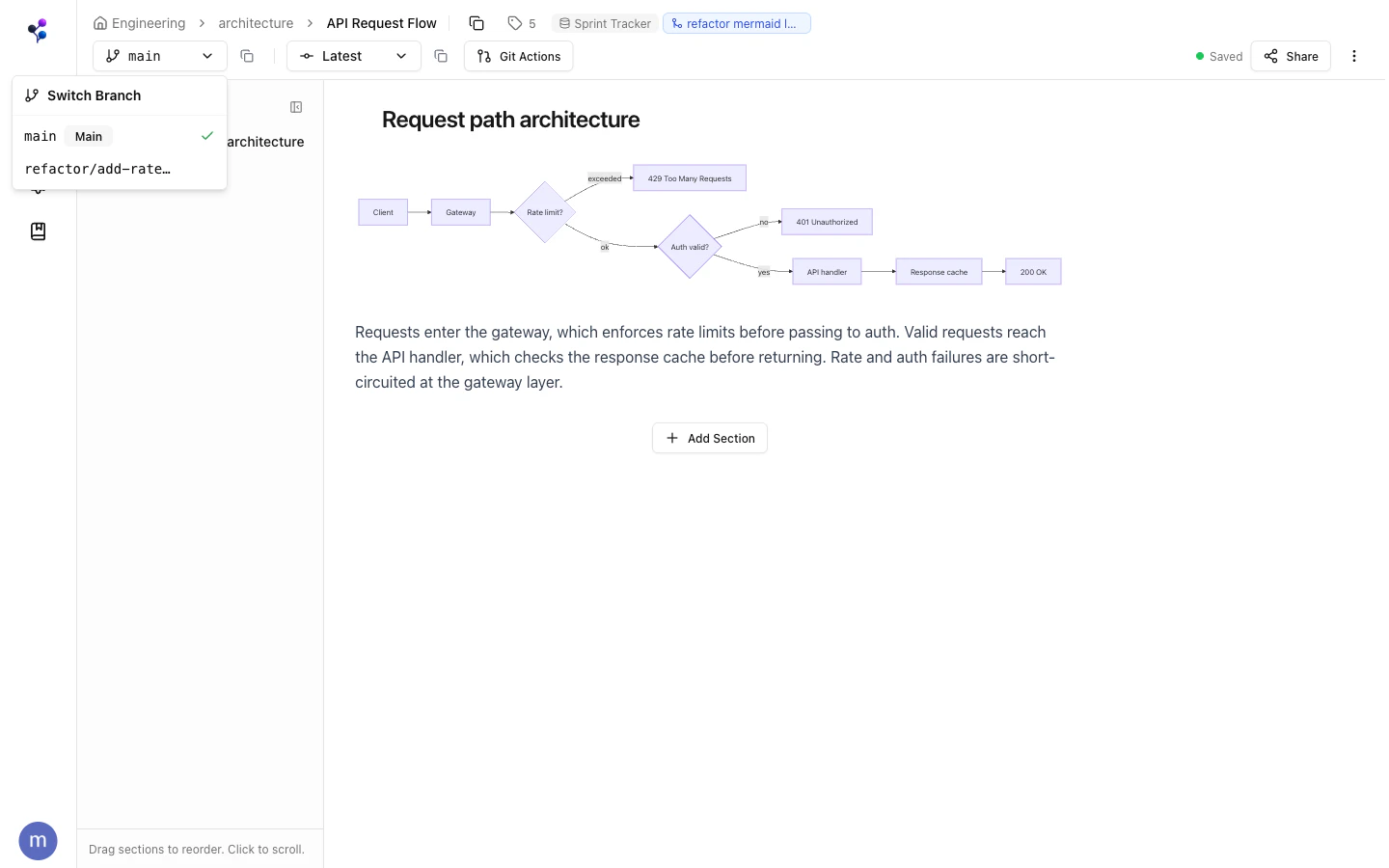
Every document starts with a `main` branch. You can create **feature branches** for:
* Iterative AI-generated updates you want to review before merging
* Collaborative edits between teammates
* Experiments you might want to discard
Branches are **document-scoped** — each document has its own independent branch history, not shared with other documents. This means you can update `/engineering/api-guide` on a branch without affecting `/engineering/deployment-guide`.
 ## Commits
A **commit** creates an immutable snapshot of a document's sections at a point in time:
* Working changes accumulate in a draft state until you commit
* Each commit has a message
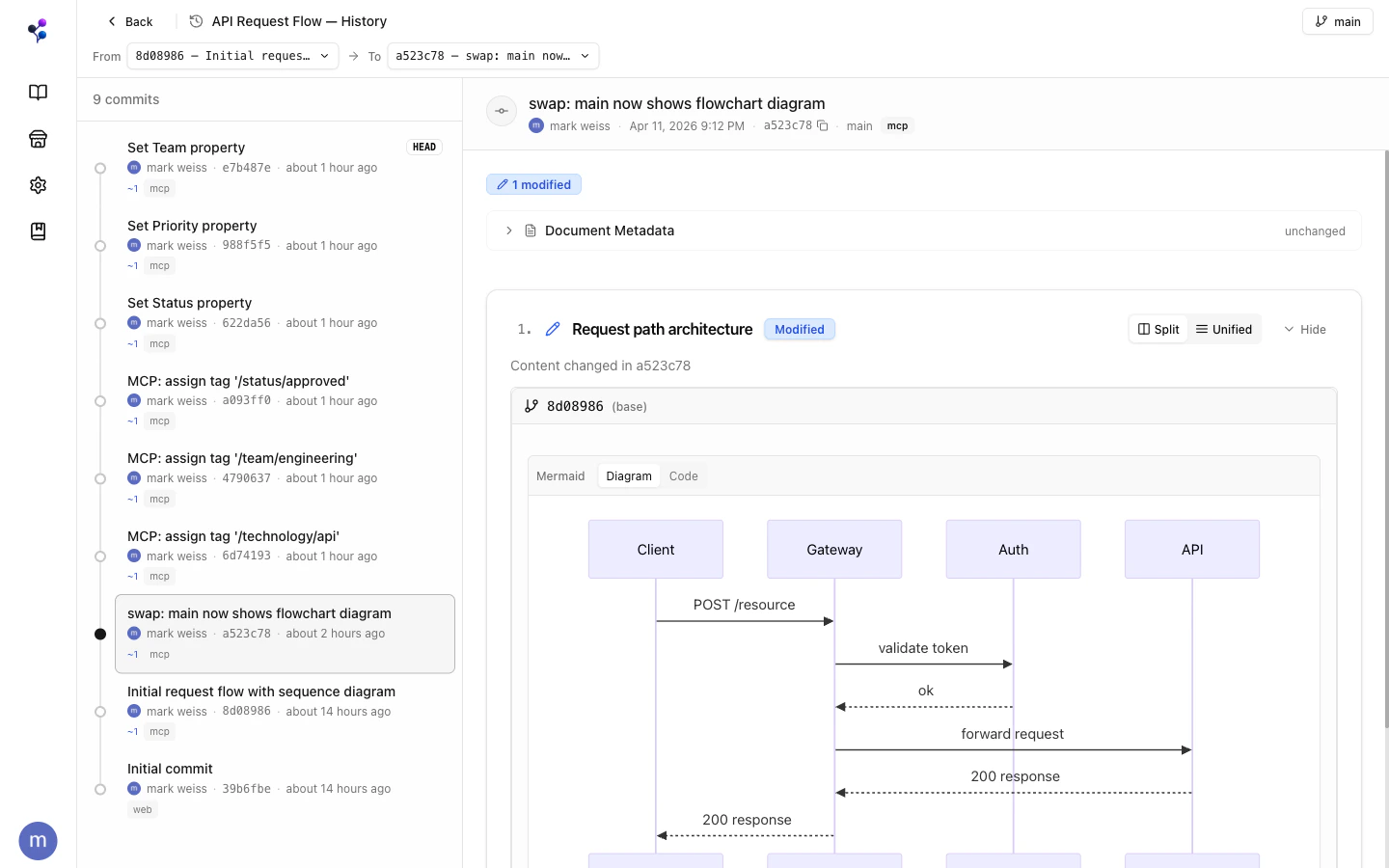
* You can view content at any historical commit
* Reverting creates a new commit with a previous commit's content (non-destructive)
In the web app, click **Commit** to save. Via MCP, every `sections` write auto-commits. Use `documents` with `action: "log"` to see history and `action: "revert"` to roll back.
## The AI Write Workflow
```
1. Agent creates a feature branch
2. Agent writes sections and commits
3. You open the branch in the web UI
4. You review the diff
5. You create a merge request → merge to main
```
## Commits
A **commit** creates an immutable snapshot of a document's sections at a point in time:
* Working changes accumulate in a draft state until you commit
* Each commit has a message
* You can view content at any historical commit
* Reverting creates a new commit with a previous commit's content (non-destructive)
In the web app, click **Commit** to save. Via MCP, every `sections` write auto-commits. Use `documents` with `action: "log"` to see history and `action: "revert"` to roll back.
## The AI Write Workflow
```
1. Agent creates a feature branch
2. Agent writes sections and commits
3. You open the branch in the web UI
4. You review the diff
5. You create a merge request → merge to main
```
 ## Merge Requests
A **merge request** (MR) brings changes from a source branch into a target branch (usually `main`) for a single document.
**Create via web app:**
1. Open a document on a feature branch
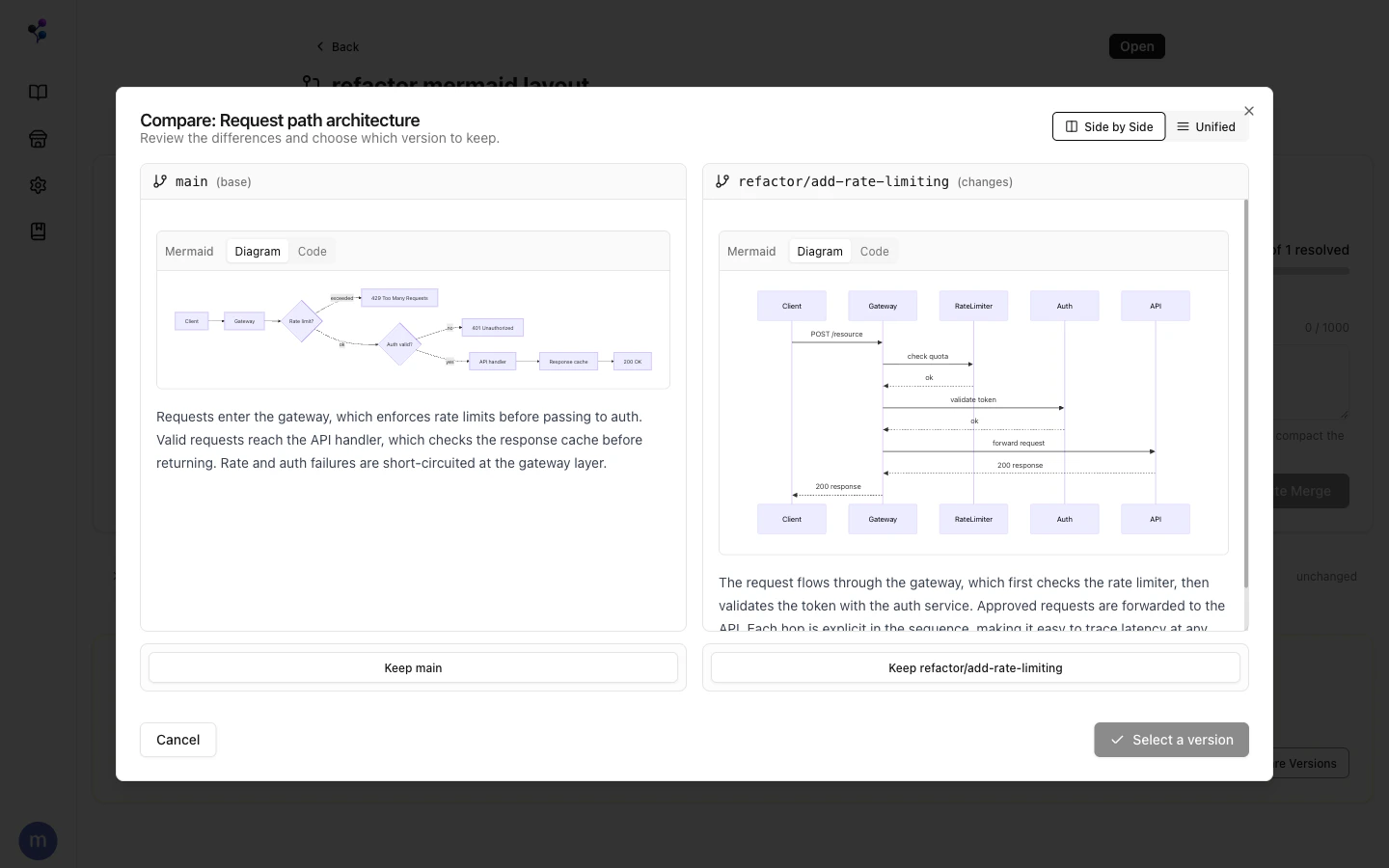
2. Click **Git Actions** > **Create Merge Request**
3. Confirm source and target branches, add a title
## Merge Requests
A **merge request** (MR) brings changes from a source branch into a target branch (usually `main`) for a single document.
**Create via web app:**
1. Open a document on a feature branch
2. Click **Git Actions** > **Create Merge Request**
3. Confirm source and target branches, add a title
 **Create via MCP:**
Use the [`merge_requests` tool](/reference/mcp/merge-requests) with `action: "create"`.
### Analyzing Conflicts
When source and target have diverged, `analyze` returns:
* **Section diffs** — added, modified, deleted sections
* **Conflicts** — sections changed on both branches since they diverged
* **Tag changes** — assignments that differ between branches
* **Path collisions** — if the document path changed on one branch
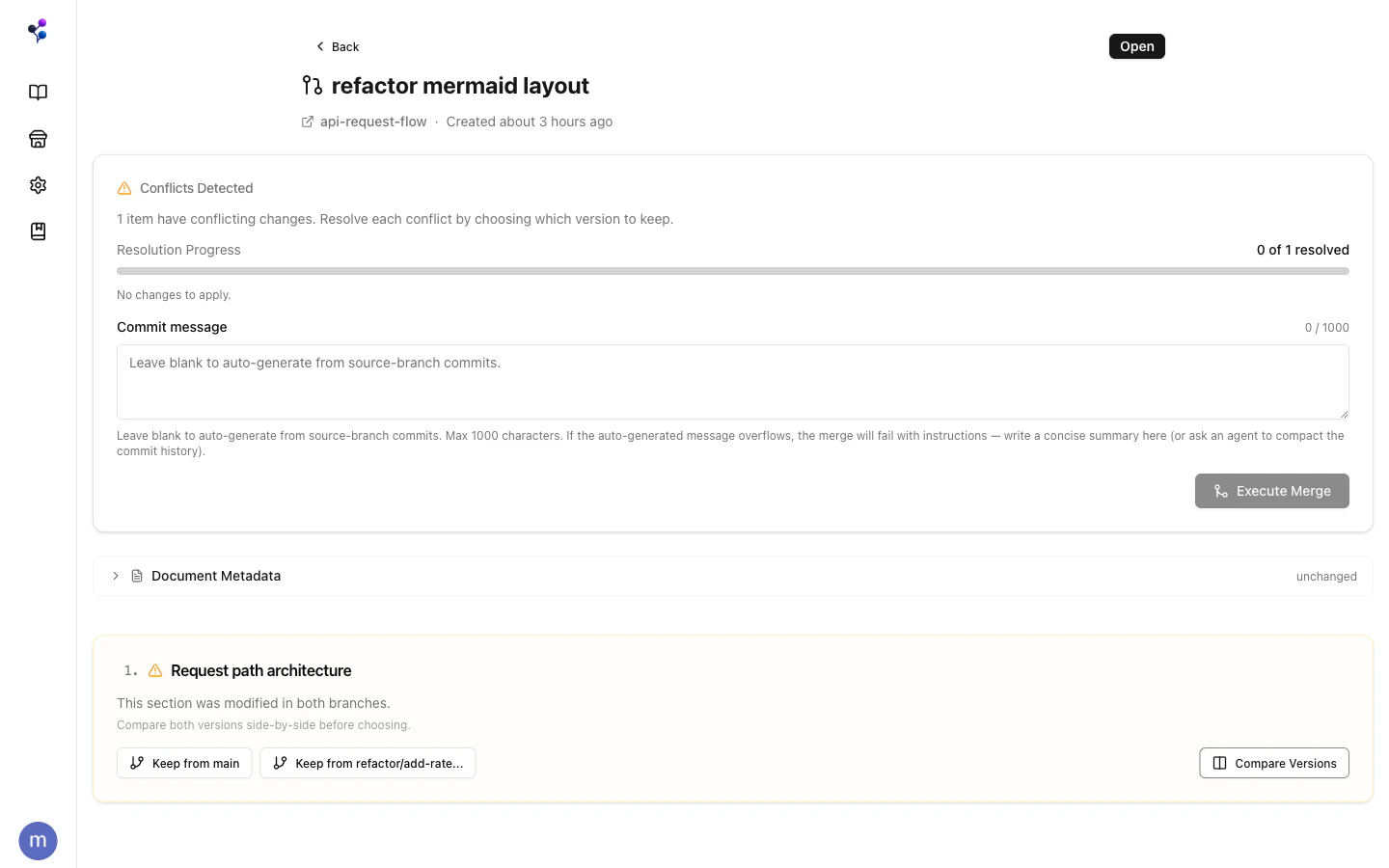
### Resolving Conflicts
Conflicts are resolved at two grains:
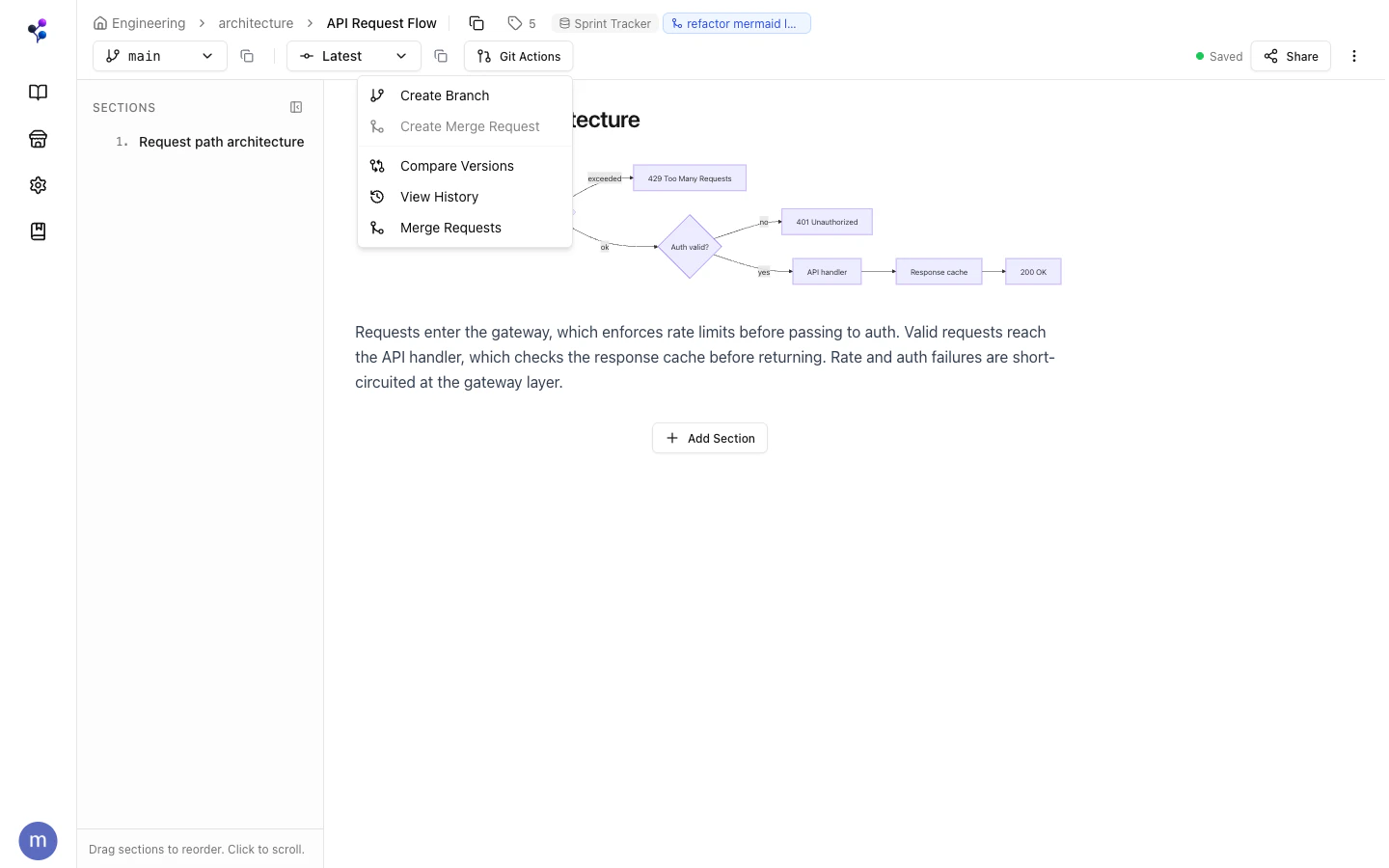
* **Content** conflicts are resolved at the **section grain** — for each section changed on both branches, choose `"source"` (incoming) or `"target"` (current). Pass `resolutions` when calling `execute`.
* **Metadata** like tags and properties is resolved at the **document grain**.
**Fast-forward merge:** If the source branch has all commits from the target (no divergence), Moxn merges automatically — no conflicts possible.
**Create via MCP:**
Use the [`merge_requests` tool](/reference/mcp/merge-requests) with `action: "create"`.
### Analyzing Conflicts
When source and target have diverged, `analyze` returns:
* **Section diffs** — added, modified, deleted sections
* **Conflicts** — sections changed on both branches since they diverged
* **Tag changes** — assignments that differ between branches
* **Path collisions** — if the document path changed on one branch
### Resolving Conflicts
Conflicts are resolved at two grains:
* **Content** conflicts are resolved at the **section grain** — for each section changed on both branches, choose `"source"` (incoming) or `"target"` (current). Pass `resolutions` when calling `execute`.
* **Metadata** like tags and properties is resolved at the **document grain**.
**Fast-forward merge:** If the source branch has all commits from the target (no divergence), Moxn merges automatically — no conflicts possible.
 ## Changesets
A **changeset** is a collection of merge requests that are coordinated together. It's a convenience wrapper for managing simultaneous changes across multiple documents that share the same branch name — instead of tracking each MR individually, you work through one changeset.
When you create a changeset, Moxn discovers all documents that have commits on the named branch and creates individual MRs for each. Each MR can be analyzed and merged on its own schedule; the changeset just keeps them organized.
This is the mechanism behind the [Auto-Docs](/guides/auto-docs) workflow for PR documentation — one changeset per PR branch, one MR per affected doc.
See the [`changesets` tool](/reference/mcp/changesets) for the MCP surface.
## Discard
`discard` resets a branch's working state back to the last commit without creating a new commit. Use it to throw away draft edits that haven't been committed yet.
To completely abandon a feature branch (including its commits), delete the branch with `documents` > `action: "delete_branch"`.
## Viewing History
In the web app, use the **Git Actions** menu to view commit history. Via MCP:
* `documents` with `action: "log"` — list commits on a branch
* `documents` with `action: "show"` — inspect the content at a specific commit
* `documents` with `action: "revert"` — create a new commit that restores a previous state
## Changesets
A **changeset** is a collection of merge requests that are coordinated together. It's a convenience wrapper for managing simultaneous changes across multiple documents that share the same branch name — instead of tracking each MR individually, you work through one changeset.
When you create a changeset, Moxn discovers all documents that have commits on the named branch and creates individual MRs for each. Each MR can be analyzed and merged on its own schedule; the changeset just keeps them organized.
This is the mechanism behind the [Auto-Docs](/guides/auto-docs) workflow for PR documentation — one changeset per PR branch, one MR per affected doc.
See the [`changesets` tool](/reference/mcp/changesets) for the MCP surface.
## Discard
`discard` resets a branch's working state back to the last commit without creating a new commit. Use it to throw away draft edits that haven't been committed yet.
To completely abandon a feature branch (including its commits), delete the branch with `documents` > `action: "delete_branch"`.
## Viewing History
In the web app, use the **Git Actions** menu to view commit history. Via MCP:
* `documents` with `action: "log"` — list commits on a branch
* `documents` with `action: "show"` — inspect the content at a specific commit
* `documents` with `action: "revert"` — create a new commit that restores a previous state